I’m still having problems with the „Open with …“ function.
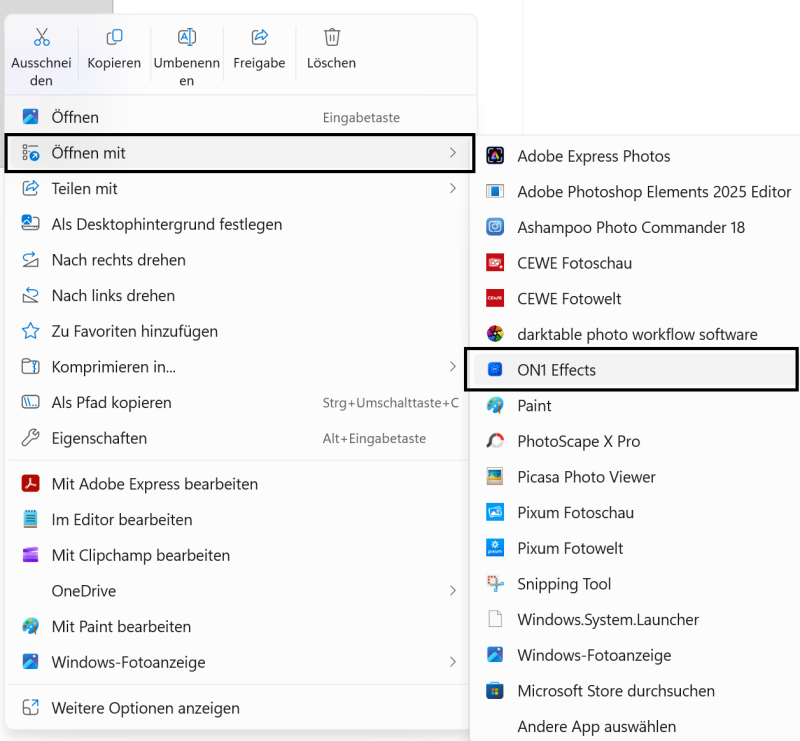
When I right-click on a photo in the Windows Explorer, an extensive menu of photo-relevant applications appears.
Like this:
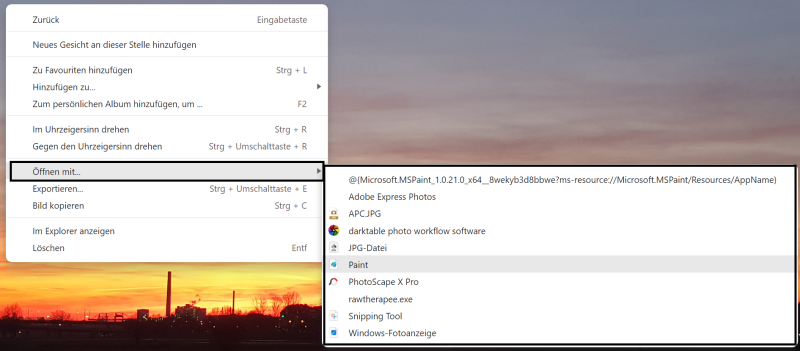
When I right-click on a photo in Tonfotos, only artifacts from - maybe - previous installation entries appear under „Open with …“ function,
like this:
Since you recently explained that Tonfotos reads the entries from the registry and you wouldn’t see any way to create, for example, a settings dialog for the „Open with …“ function, I have this idea to solve the problem for myself:
“If I knew where Tonfotos reads the information from the registry to generate the menu entries, I could enter my photo-relevant program there”.
Of course, the better solution would be a Dialog, where my already installed application can be added to the right mouse menu list.
Thank you very much, best regards,
Gerhard