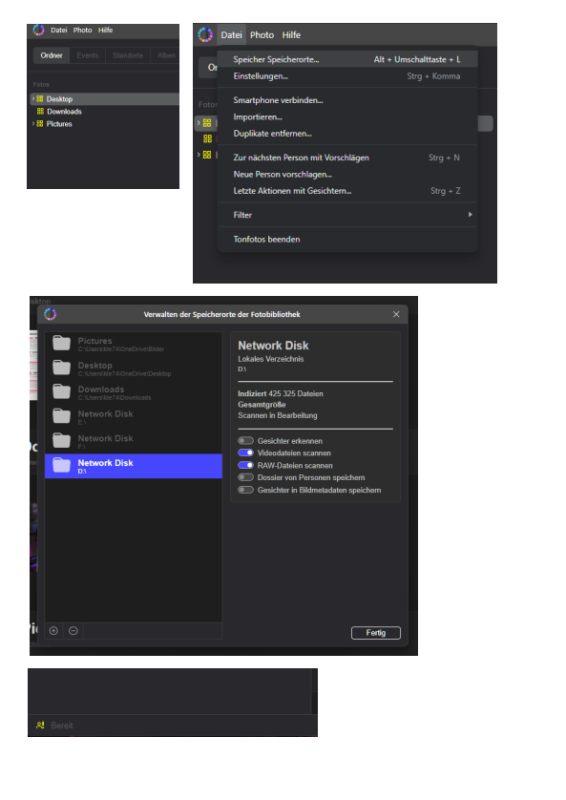

Well, “Network Disk” is what the program displays for me—see the screenshot.
Yes, by “drive label” I meant the name of the external hard drive—the one shown in Windows, or the name I can assign to the drive within Windows.
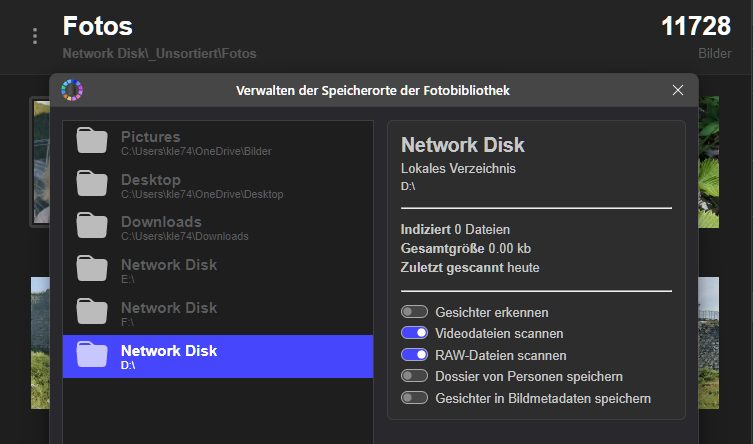
After restarting the computer several times, disconnecting the drives, and relaunching the program with just one hard drive (D🙂 connected, the scanning process finally started up again. Although the other drives are now appearing as “storage locations” again (see screenshot, Drive F, etc.), the images themselves aren’t showing up in the folders on those drives.
What puzzles me is this: I’ve spent several hours letting it scan Drive D again. It has already detected and imported over 11,000 images from that drive into the first folder, yet the display (see screenshot) still shows everything at “0”—even though a total of well over 120,000 images have actually been imported by now.
The top part of the screen doesn’t show details about the storage media, though the bottom section indicates that an “automatic” scan is underway. However, it doesn’t show how many images are left to process; it has simply said “A few seconds remaining” for hours now.
It’s great that the tool constantly checks for and adds new files. However, it would be helpful to see an indicator showing how many images from the drive have already been imported versus how many are still pending.
After all, it understandably takes quite a long time to import 400,000 images from a USB 3.0 hard drive. As I said, it would simply be helpful if the drives were displayed as “D:/Drive Name”—since they currently show up just as “Network Disk,” you can’t tell from the folder view which drive contains specific folders. If you have multiple drives, it’s really inconvenient…
Yes, Windows assigns the drive letters, but the user assigns the drive names. And those names rarely, if ever, change while the drives are in use.
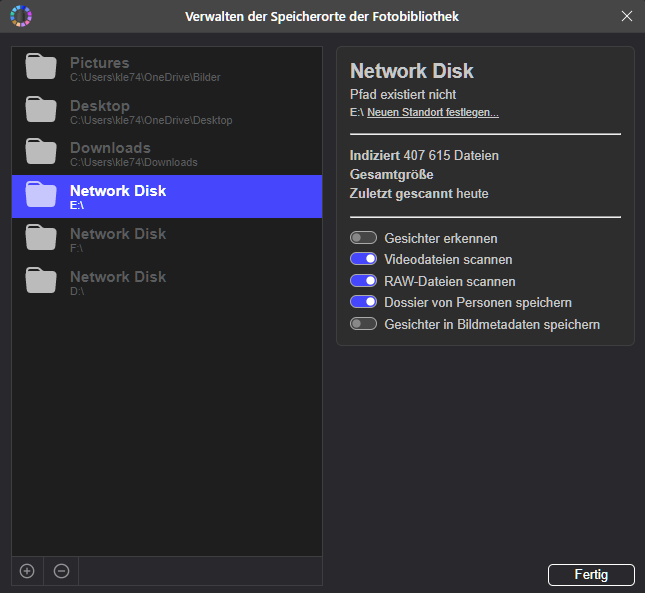
The tool is really good and functional. However, regarding the overview and the scanning process—it’s not very helpful for identification purposes. Also, if the drives aren’t connected, the images don’t appear in the folder structure either (e.g., Drive F, which I had scanned; see the screenshot—it just says “Path does not exist” with “Network Disk” as the name)…
This means the images that were already scanned (407,615 files—processed over several days) aren’t displayed.
That’s my issue with scanning hard drives: they take days to scan, but then—as soon as you swap the drive—the thumbnails and such no longer show up, possibly because a new drive letter gets assigned upon reconnection. But I don’t know which drive it was, because it just says “Network Disk”—there’s no drive label displayed?!?